The school’s record, with the smart tools built in.
ElevateSIS is the student information system: the gradebook, report cards and transcripts, as smart tools built on the intelligence platform. The gradebook and the report card generator work today inside Margin. Attendance is part of the plan and not available yet.
Try it free opens Margin, free to start and with no card, where the gradebook and report cards are today.

A school’s record lives in pieces: attendance on a sheet, marks in a spreadsheet, report cards typed into the school’s form one student at a time, transcripts in a folder. Every term, someone copies it from one place to the next.
ElevateSIS, the student information system, keeps that record in smart tools built on the intelligence platform. The gradebook fills from marking and report cards fill from the gradebook, and both work today inside Margin. Transcripts are read on Marlo’s staff side, and attendance is part of the plan and not available yet.
-
Gradebook In Margin today
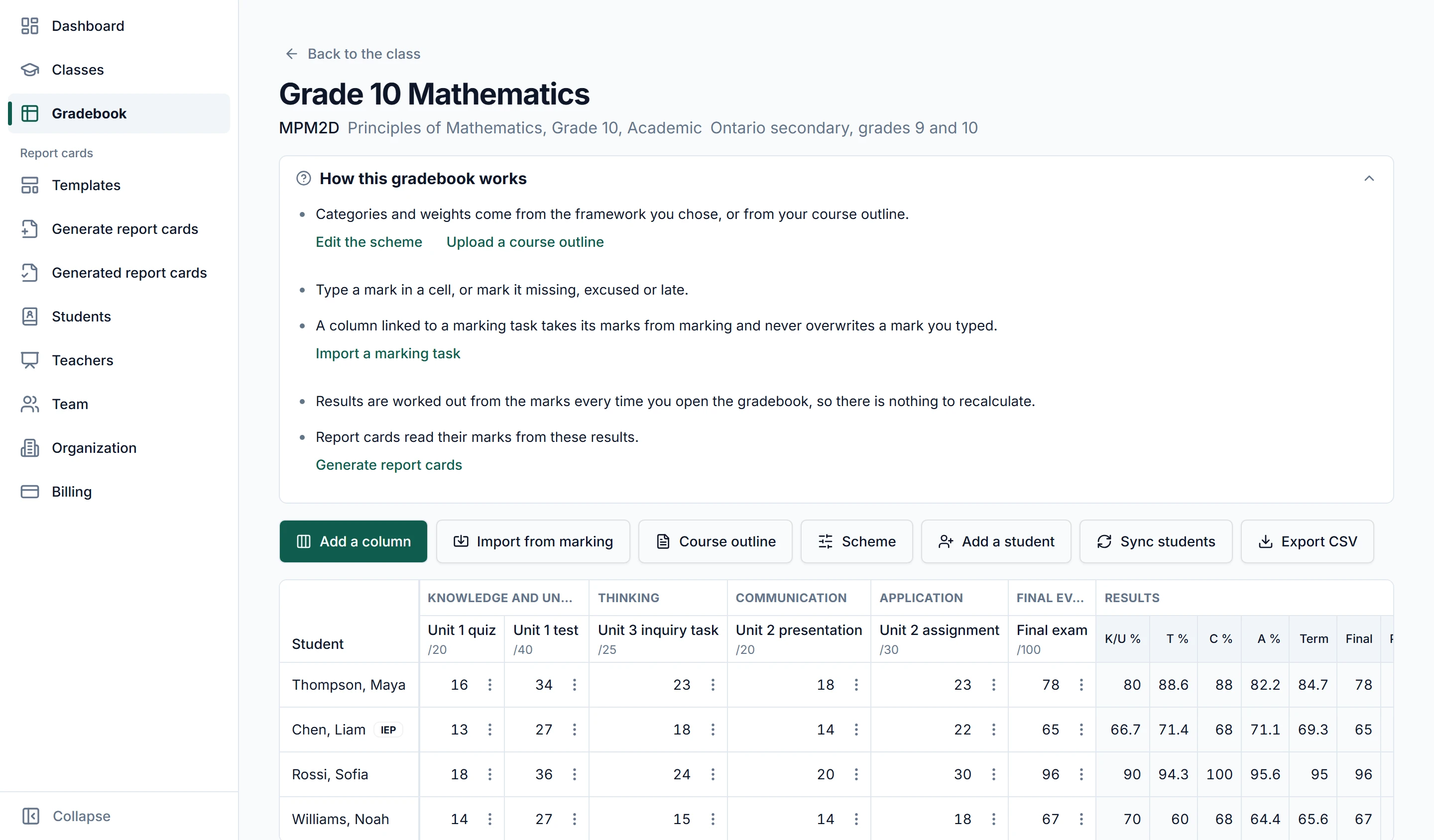
One per class, set up from a framework such as letter grades, IB, a provincial scale or percent, or proposed from the course outline you upload. Columns linked to a marking task fill from the marked work, and a mark typed by hand is never overwritten.
-
Report cards In Margin today
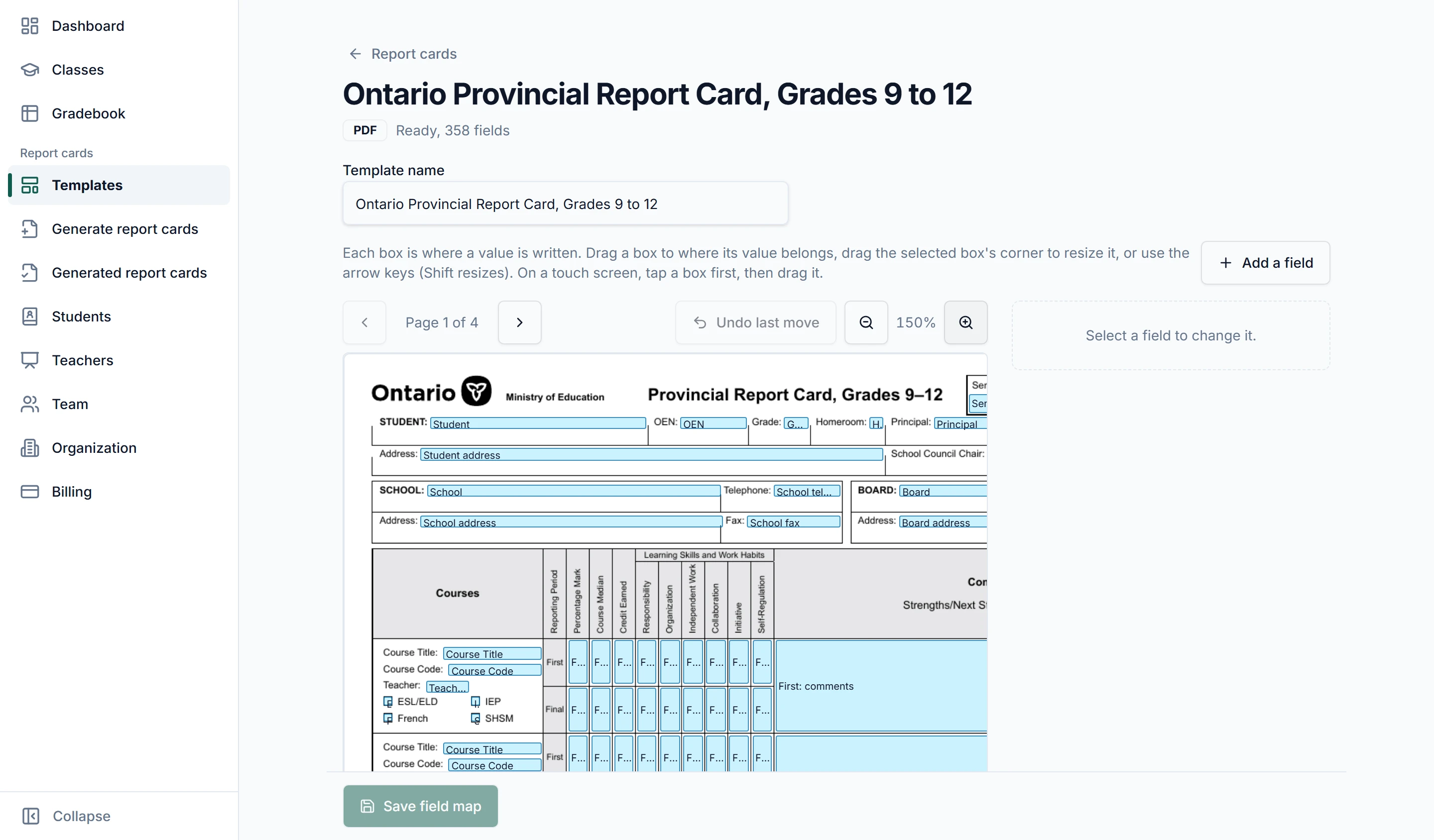
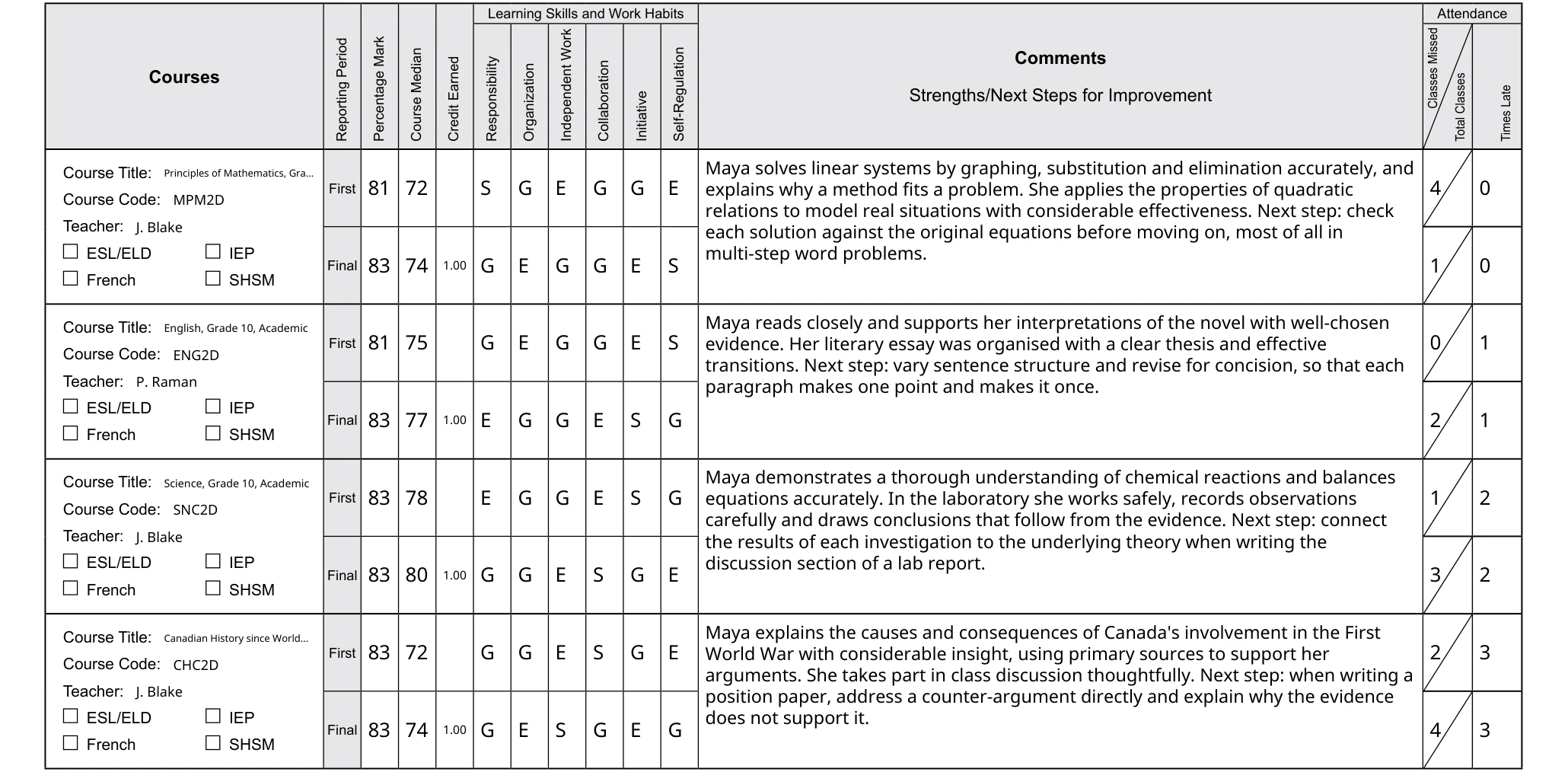
Upload the school’s own report card form once and confirm how its fields map. Each student gets a card for the term, prefilled from the gradebook, with comments drafted on request from their marks and the teacher’s feedback. A class downloads as one ZIP.
-
Transcripts In Marlo today
On Marlo’s staff side, an incoming transcript supplied as text is read into an assessment report, as a PDF and a Word file, for staff to review. The credit decision stays with the principal. Keeping transcripts in ElevateSIS with the rest of the record comes next.
-
Attendance Planned
Part of the plan for ElevateSIS, kept with the rest of the school’s record. It is not available yet.
The gradebook and the report cards, today.
Two of ElevateSIS’s smart tools already run inside Margin. These are their real screens, from a school of made-up students.
 Whole screen
From the marked work to the report card.
Keep the gradebook
Each class gets a gradebook in Margin. Columns linked to a marking task fill from the marked work, and a mark typed by hand is never overwritten.
Make the report cards
Margin makes one card per student for the term on the school’s own form, prefilled from the gradebook, and the teacher types in attendance and learning skills. The teacher reviews each card and downloads the class as one ZIP.
Read an incoming transcript
On Marlo’s staff side, a transcript supplied as text is read into an assessment report, as a PDF and a Word file, for staff to review. The credit decision stays with the principal.
The teachers in your school’s workspace.
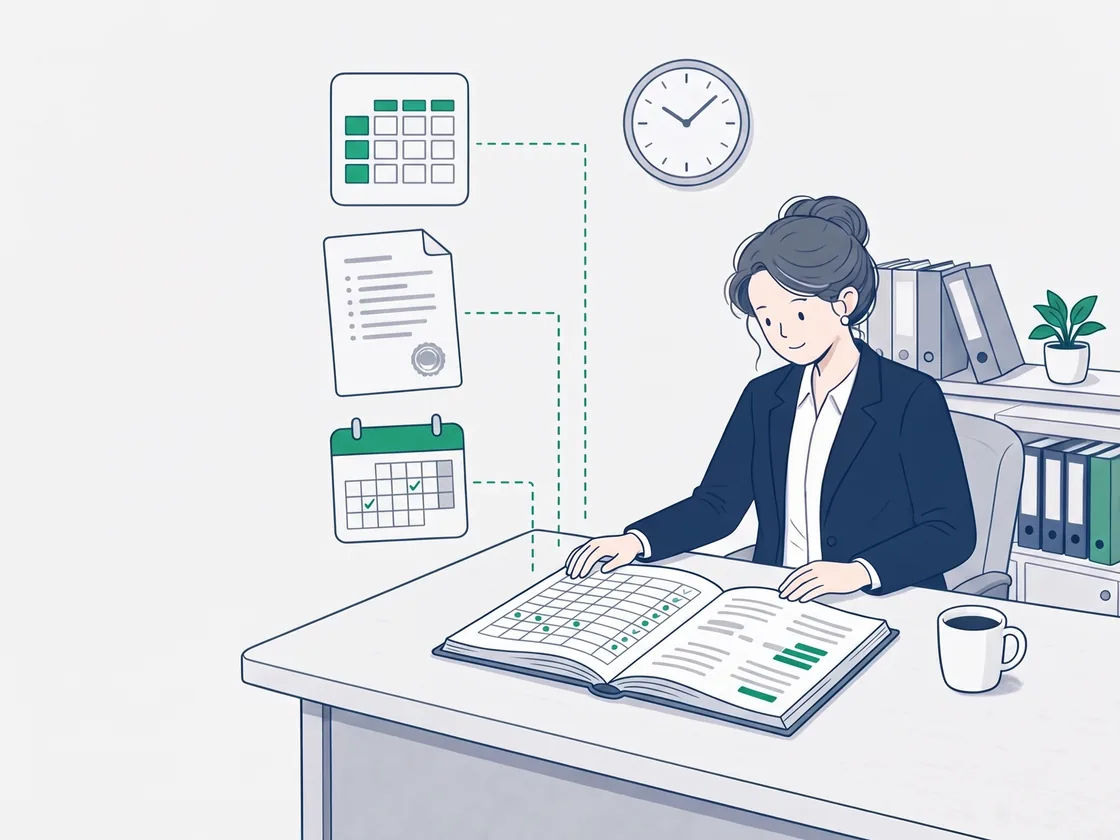
In Margin, the gradebook and report cards are open to the teachers in the school’s workspace, and nothing is sent to a student or a parent. A mark typed by hand in the gradebook is never overwritten by marking.
What schools ask about ElevateSIS.
Anything else, write to support@elevategrade.com.
Can a school use ElevateSIS today?
The gradebook and the report card generator work today inside Margin, on every plan. Transcripts are read on Marlo’s staff side. Attendance is part of the plan and not available yet. Get in touch and we will tell you where it stands.
Does it use our own report card form?
Yes. Upload the form once, as a PDF or a Word file, and confirm how its fields map. Each card is filled onto that form, as a PDF, plus the filled Word file when the form is a Word file. A Word form built from content controls or form fields is not read yet.
Is there an Ontario report card template to start from?
Yes, a free one for Grades 9 to 12: an Excel workbook laid out on the Ministry’s Provincial Report Card, with a printable guide to every section. It is a working template, not the official form.
Who can see the gradebook and the report cards?
The teachers in the school’s Margin workspace. Nothing is sent to a student or a parent.
Where do transcripts fit?
On Marlo’s staff side today: an incoming transcript supplied as text is read into an assessment report, as a PDF and a Word file, for staff to review. The credit decision stays with the principal. Keeping transcripts in ElevateSIS with the rest of the record comes next.
What does ElevateSIS cost?
ElevateSIS has no price of its own. It joins the platform when it ships, and the gradebook and report cards are part of every Margin plan today.
Keep the record where the work is.
ElevateSIS joins the platform when it ships. Until then, the gradebook and report cards are in every Margin plan, and a school can get in touch about the rest.