The class set, marked overnight. Signed by you in the morning.
Send Margin one assessment and the whole class. Every student comes back annotated, with per-question marks and the reasoning attached to their actual work, against your own answer key or rubric.
Starting is free: sign up with an email, no card needed, and Margin marks a limited number of papers free. After that, choose a plan to keep marking. Or send one real assessment, your answer key or rubric, and a handful of submissions with the names removed: the marked set comes back within two business days.

A class set takes an evening to mark, and a second one takes the weekend. Students wait to hear how they did, and feedback written late at night is shorter than the work deserves.
Margin marks the whole set overnight against your answer key or rubric. Each question gets its mark and the reason for it, written beside the line it is about, and the feedback is drafted in full. The teacher reviews what Margin flagged, changes what they disagree with, and signs.
One class set, marked and reviewed.
Recorded in Margin. The teacher changes a mark on the marked set, then a handwritten test is read back before it is scored.
Every screen in Margin, from the upload to the signed set.
Five screens, in the order a teacher meets them.
-
01 Before any marks are given
The marking scheme is proposed, and your teacher corrects it first.
Margin reads the assessment question by question and proposes an allocation across Knowledge, Thinking, Communication and Application. Nothing is marked against it until a teacher has changed what they disagree with.
Margin, the schemeGIF -
02 Handwritten pages
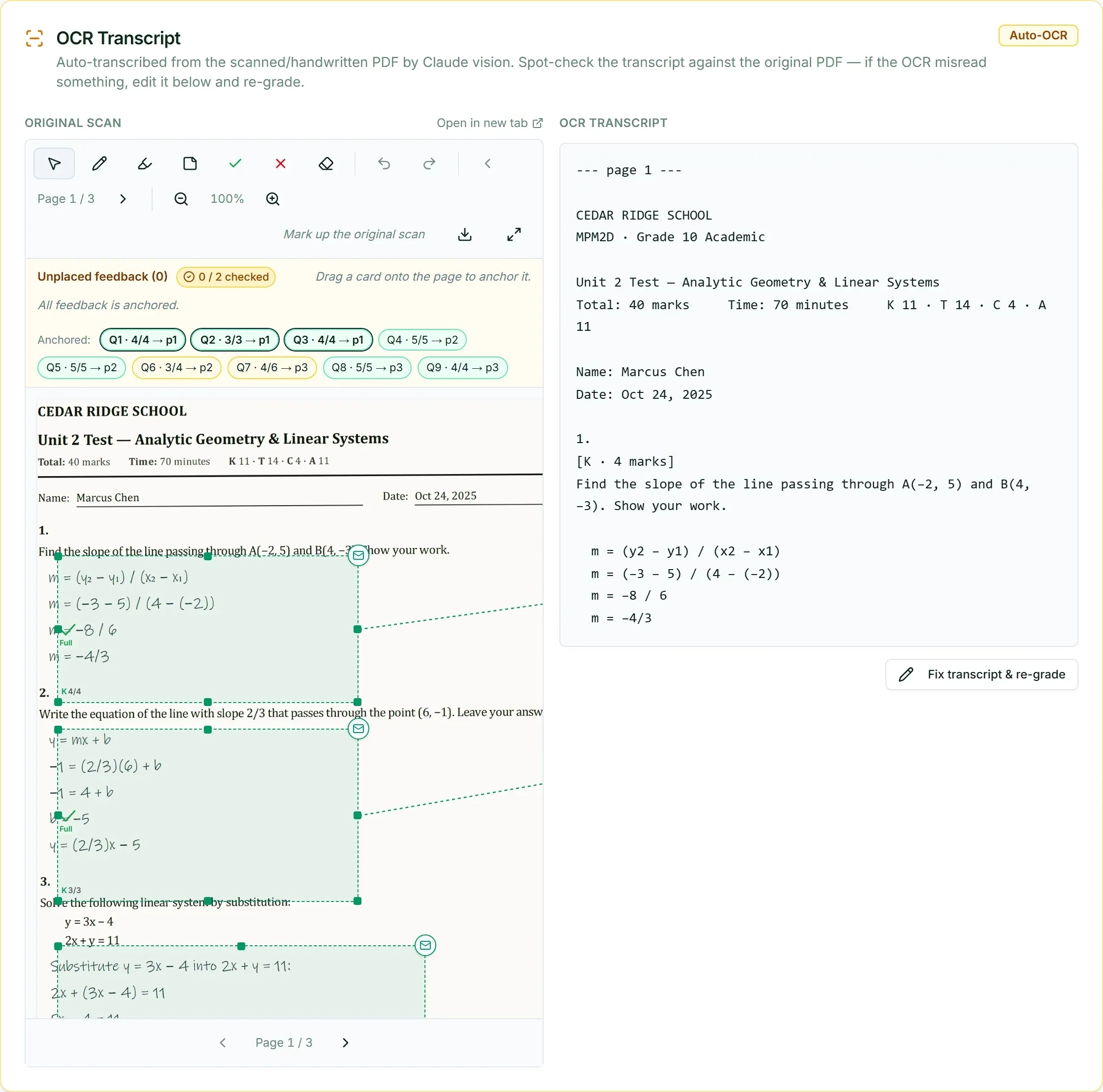
The scan sits beside its transcript, and the transcript is editable.
A misread word is a marking error waiting to happen, so Margin reads the transcript back before anything is scored. Your teacher fixes any misread word and the marking runs from the corrected text.
-
03 The marked page
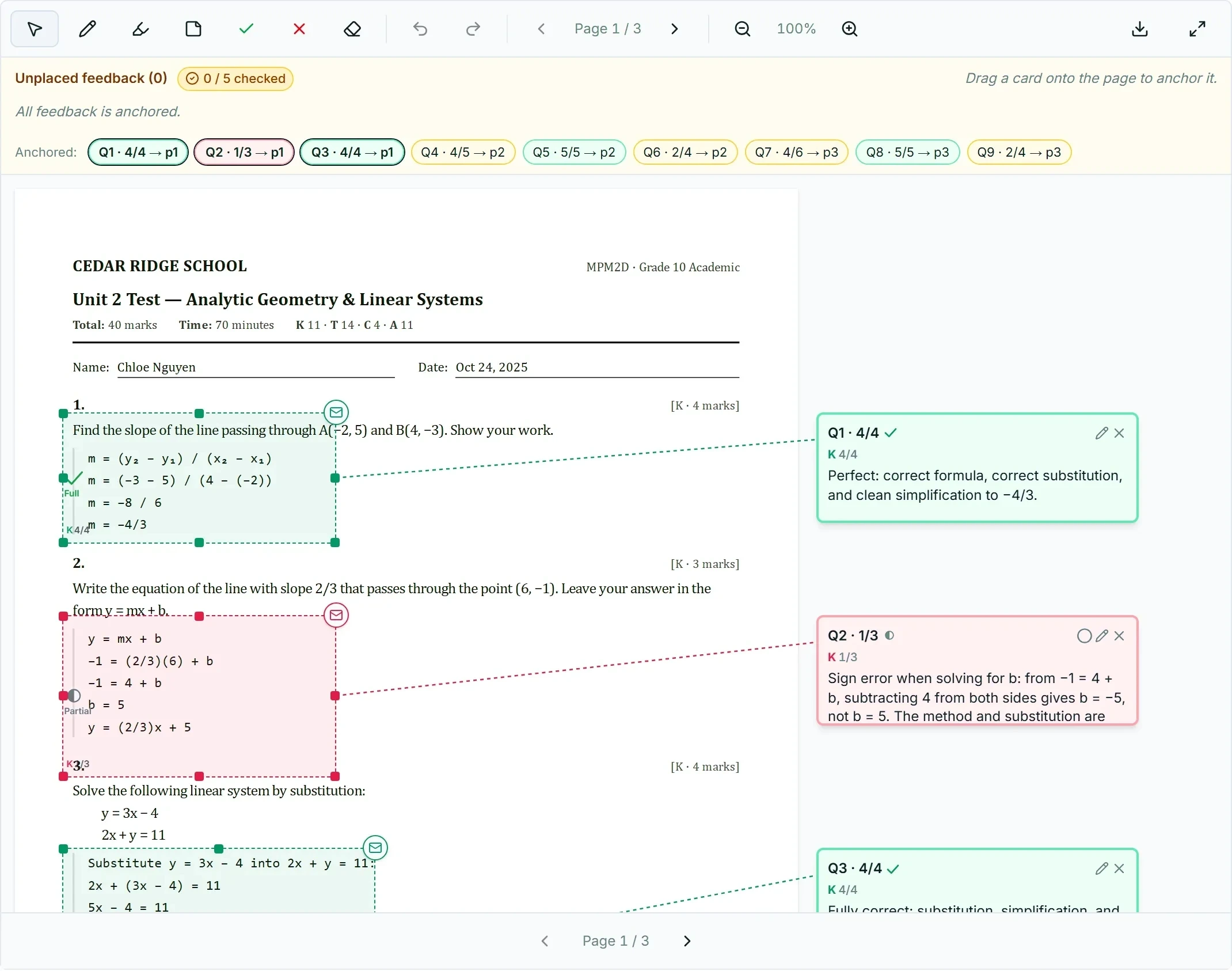
The mark, the reason for it, and the line it came from.
Every comment is pinned to the answer it is about. Green where the work is right, amber where Margin flagged it for a second look, and a mark that stays a draft until a teacher signs.
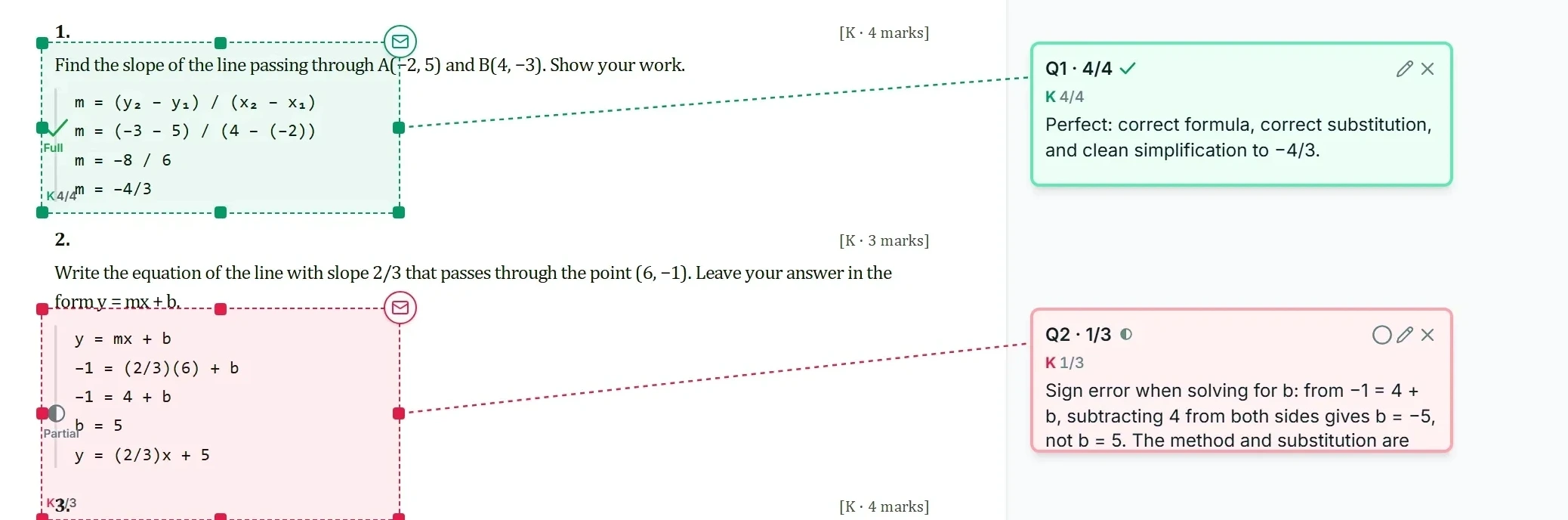
Every screen here opens at full size. -
04 Essays
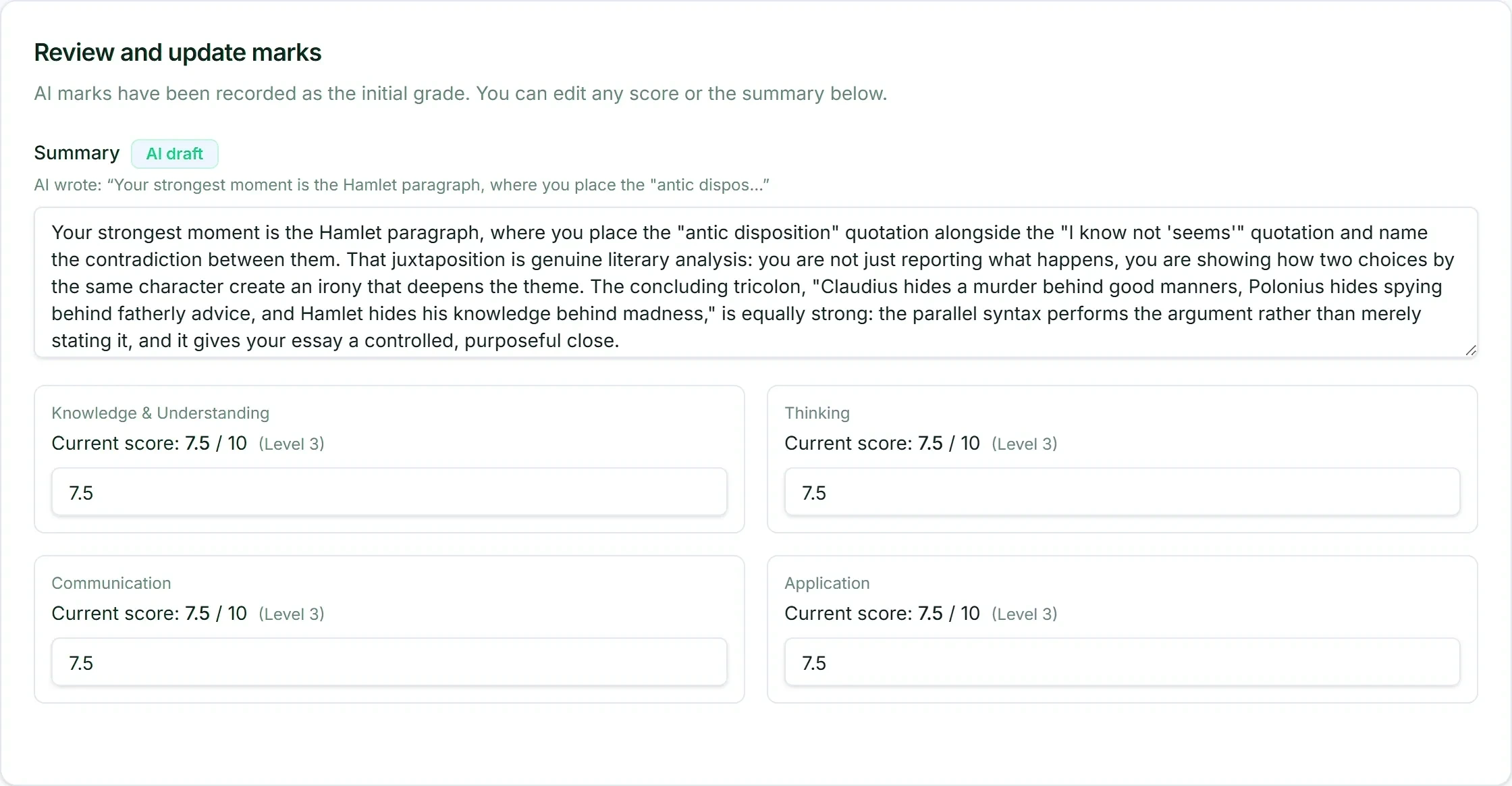
Scored per category against your rubric, in boxes that stay editable.
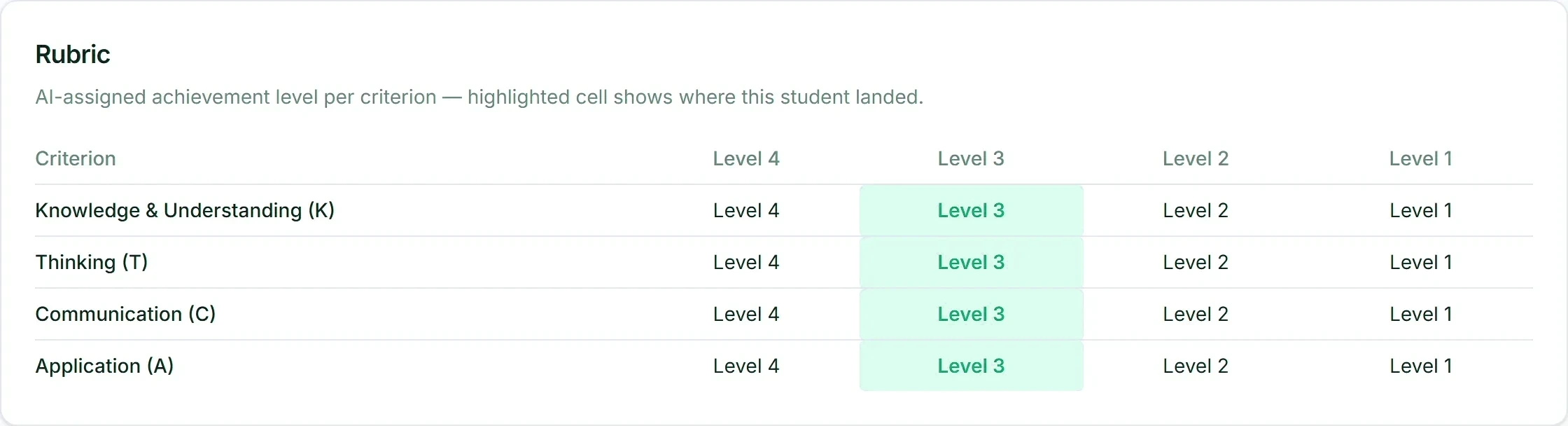
Knowledge, Thinking, Communication and Application, each with a mark and an achievement level. Nothing is locked until the teacher signs.
-
05 The level, and the class
Where each student landed, and how the group did.
Each student is placed at an achievement level per category against your rubric, and every level box stays editable. Underneath it: the mean, the median, the spread, and the count that needs a second look.

Students scan and send their own work.
Create a class and share its link or QR code. Each student photographs their pages on a phone and sends them, and the work lands in the task under the student’s name, ready to mark. Nobody scans a pile or renames files.
- One link per class. A student sees only their own classes and their own work.
- Several photos become one submission, in page order.
- Students are not shown marks in the app. A teacher still signs every one.
Marks with their evidence attached, not a number at the top.
- Per-question marks against your answer key or rubric, with the reasoning tied to the line in the student’s work it came from.
- K, T, C and A per allocation, on achievement levels 1 to 4, for a course marked by Knowledge, Thinking, Communication and Application. Plain marks per question for everything else.
- Written feedback drafted in a voice your teacher can keep or rewrite.
- No invented marks. When an assessment carries no marks, Margin sorts each answer as correct, partly correct, or wrong or blank, and puts no number on it.
- A confidence flag from Margin, which sends that item to the top of the review queue.
- A class summary for the teacher and the principal: distribution, common errors, where the group is weak.
- Annotated PDFs, a class summary PDF and a ZIP of the whole set, ready to hand back or file.
Your teacher’s attention goes exactly where the judgment call is.
Anything Margin flagged goes to the top of the queue. The teacher opens it, reads the flagged items, changes what they disagree with, and signs the set. Every override is kept. Nothing is issued until the teacher says so.
- Every submission in a set marked against the same rubric, whoever is on shift that week.
- A new marker starts against a stable standard instead of finding their own.
- Every page carries the footer: AI-assisted draft prepared by Elevate Grade Margin, reviewed and signed by a teacher.
Turnaround and consistency, with evidence for the inspection binder.
Assessment turnaround gets away from a small staff by late October and stays away until January. Rubric-aligned output with the reasoning attached to the student’s work is assessment evidence a school can stand behind, with the approving teacher named against it.
Marking is unbillable. The parent report is what re-enrols.
Every tutor hour spent marking is paid but not billed. Batch marking moves that labour from production to review, keeps quality uniform across tutors, and puts the written feedback on every page, ready to go home.
Three limits, and how to test each one.
- Margin does not grant credits, issue official marks, or replace a teacher’s judgment. Every mark is a draft until a teacher signs it.
- Margin does not carry an accuracy figure on this site. There is no published benchmark yet. Compare it on a class set you have already marked.
- Margin does not mark every course. Mathematics and science assessments, and essays marked against a rubric, are where it is used most. Ask about yours with a real assessment in hand.
From sign up to the first marked set.
- You
Pick a plan, or press Try it free
Choose Starter, Pro or School on the pricing page, or press Try it free anywhere on the site. The plan you pick travels with you to the signup page.
- You
Create the account
The signup page asks for your name, your email and a password, and sends a confirmation link. Open it to finish. No card is asked for.
- You
Name your school
Choose a workspace for one teacher or for a whole organization, name it, pick its web address such as yourschool.elevategrade.com, and agree to the terms.
- Elevate Grade
The workspace opens
The app sets up the workspace at its own address and sends a welcome email: your free papers are ready. The app’s header shows how many are left.
- You
Mark with the free papers
Create a task, upload the assessment and the papers, confirm the marking scheme and let Margin draft. A teacher reads and signs every mark. The free papers are marked with everything the School size carries, essay marking included.
Start with free papers and no card. Then from CA$34 a month.
One credit marks one submission. 50, 125, 500 credits a month depending on the plan, and top-up packs when a month runs short.
Judge it on your own material.
Start free and mark your first real papers today, with no card, or send us a class set and get the marked output back within two business days. Or book a demo on your own course.